
Illustration
This page shows the AI features available on the Illustration page. You can view the Illustration page for more information on this page.
Document Miner
Access to Document Miner is required for the following feature. Help on how to set up Document Miner access can be found here.
Once the role is assigned, follow the steps listed below:
- Add an illustration.
- Attach the PDF document from which the values need to be extracted.
You will now be able to see the button to run document miner labelled as Run Document Miner.
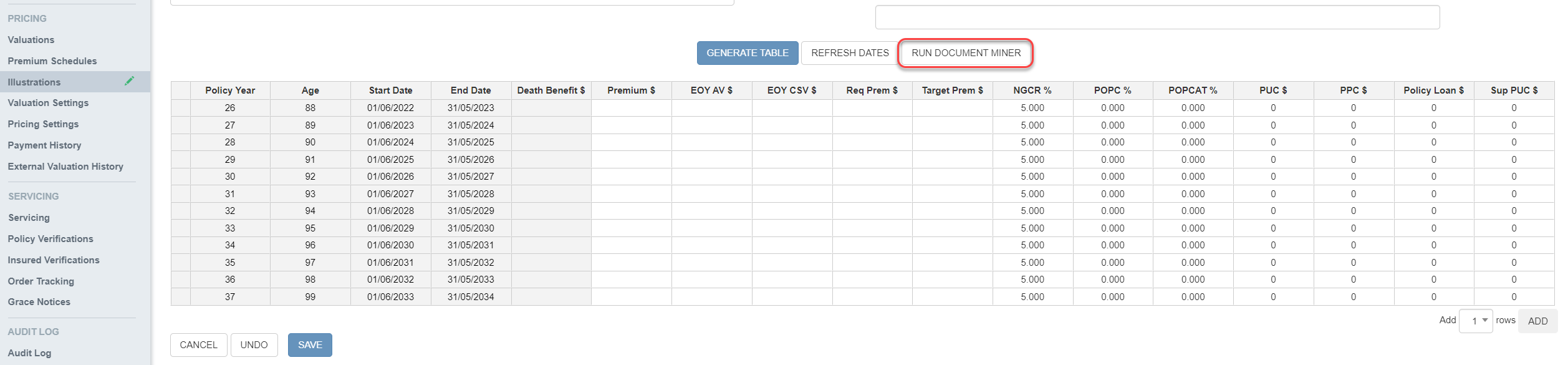
Clicking Run Document Miner downloads an Excel sheet which is added to the document list once Document Miner has finished running.
This Excel sheet contains tables that existed in the PDF; any table with more than 25 numbers is highlighted red in Excel.
- Generate the Table.
You can simply copy the values from the Excel sheet to the Illustration table generated without having to manually enter them.
Document Miner does its best to accurately extract the data from your PDF, however various
factors can affect the accuracy of the resulting data. It is strongly recommended that you manually verify the data produced, especially if your PDF is of poor quality.