
LE Report
LE Reports can be found in a Case, on the Insured tab.
Document Miner
Access to Document Miner is required for the following feature. Help on how to set up Document Miner access can be found here.
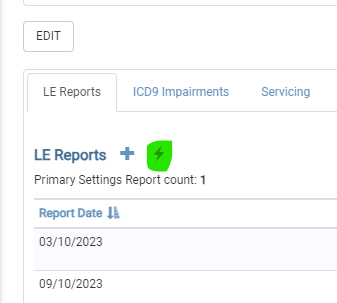
Navigate to the LE Reports tab. An icon (highlighted in green below) is used for mining documents. Click the icon to view the Add Document pop-up. Add the Document on this pop-up, and click on the “SAVE AND RUN DOCUMENT MINER” button
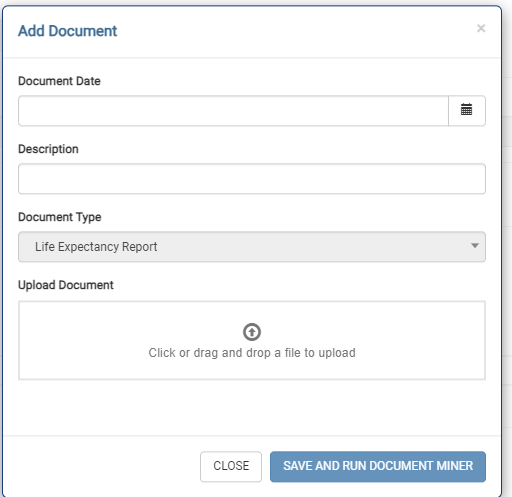
The pop-up message changes to a “Processing…” and then a “Completed…”. You will now see the new LE Report added to the list.
Document Miner does its best to accurately extract the data from your PDF, however various factors can affect the accuracy of the resulting data. It is strongly recommended that you manually verify the data produced, especially if your PDF is of poor quality.