
Policy Verification
The Policy Verifications can be found in a Case, on the Policy Verifications tab.
Document Miner
Access to Document Miner is required for the following feature. Help on how to set up Document Miner access can be found here.
The current version of Document Miner works for the Verification of Coverage documents. Similar to Document Miner for LE Reports, the information from the supplied file is read and creates the Policy Verification object automatically.
Mining a Verification of Coverage document
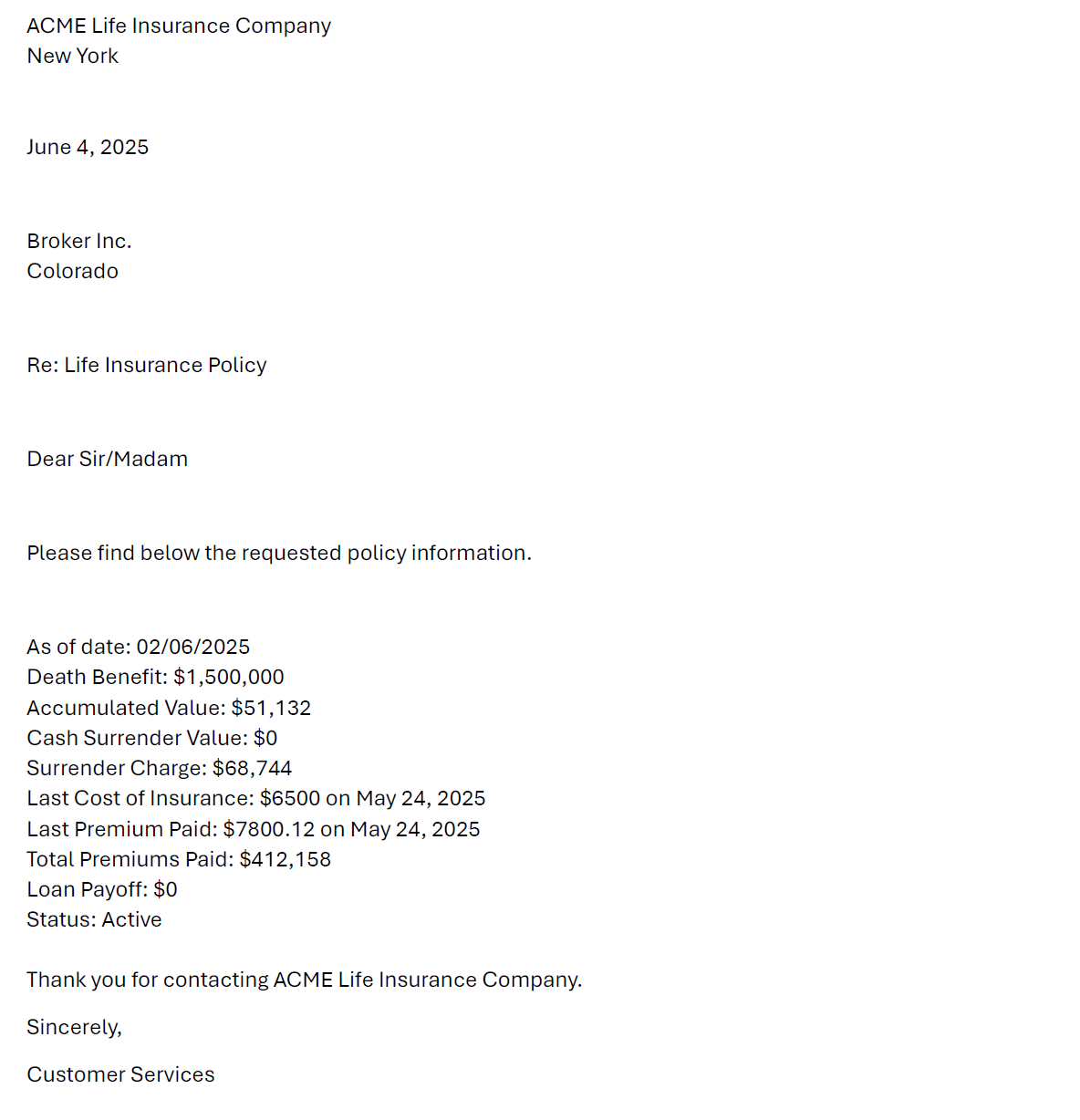
Using a letter received from the carrier, for example:
Similar to LE Reports, a button is available in the header to run Document Miner on the Policy Verifications tab:
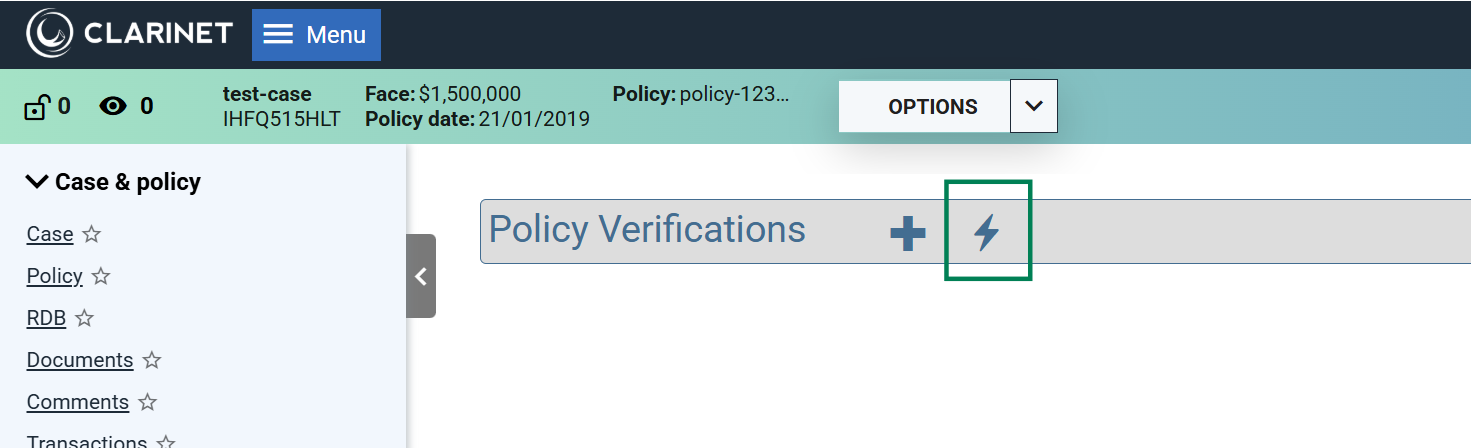
Click on the button to see the option to add a document to mine:
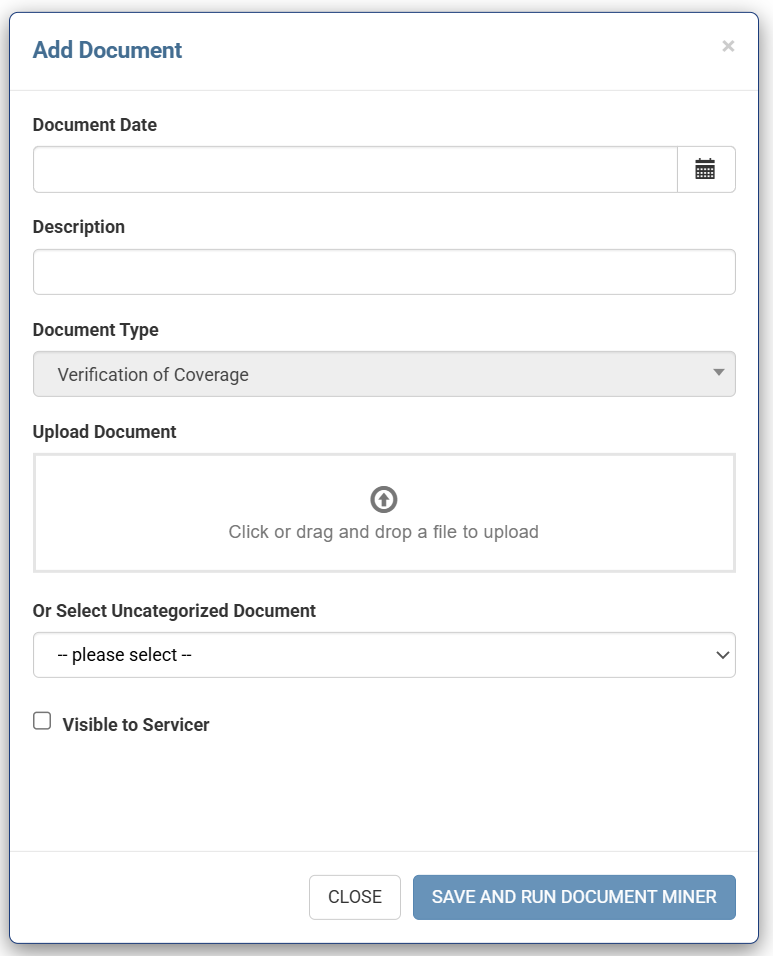
It is possible to add a new document or select an uncategorized document already attached to the case. Click “SAVE AND RUN DOCUMENT MINER” to start the process.
While the mining is in progress, a dialogue appears with the following message:
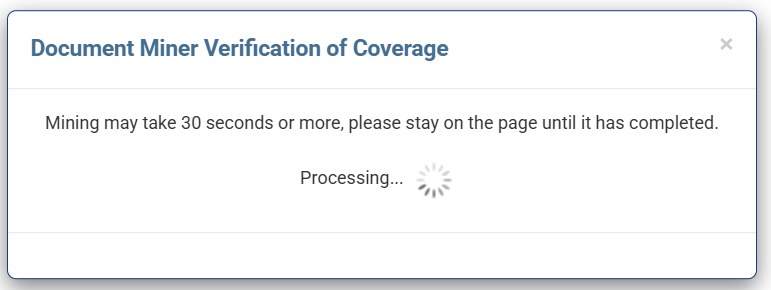
A The new entity will be visible in the list when mining is complete.
Document Miner does its best to accurately extract the data from your PDF, however various factors can affect the accuracy of the resulting data. It is strongly recommended that you manually verify the data produced, especially if your PDF is of poor quality.
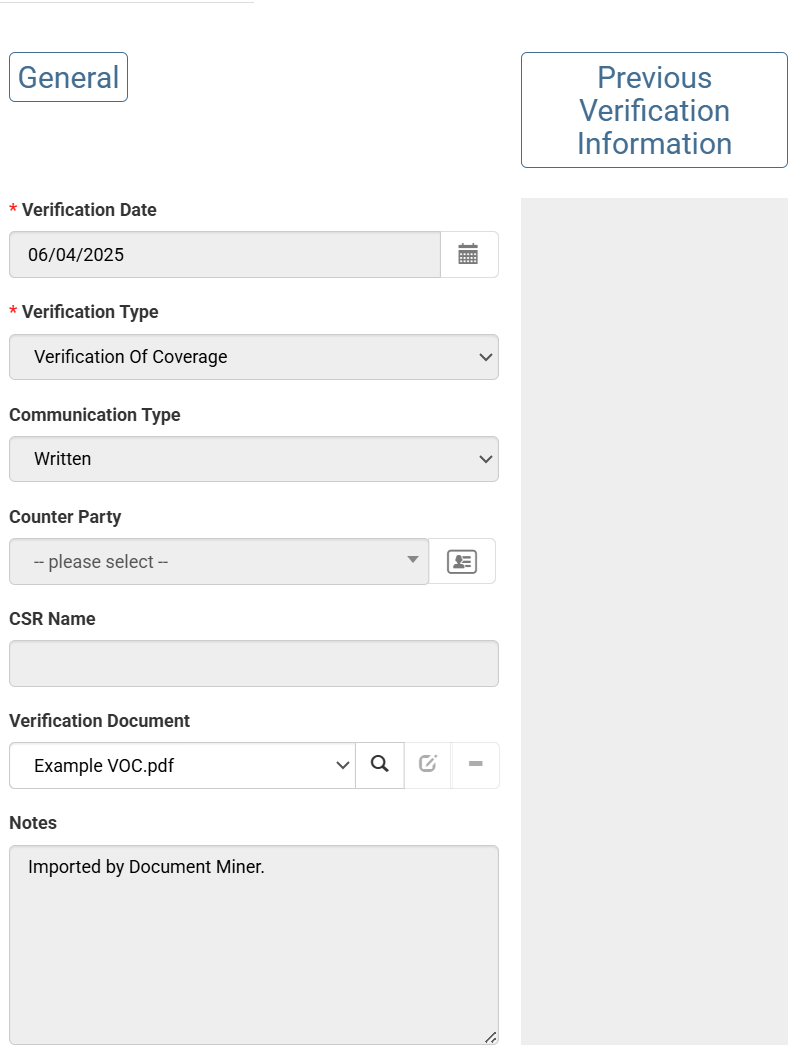
When a verification is created by Document Miner, a note is added: “Imported by Document Miner.”
Supported Fields
Fields extracted by Document Miner include:
- Account Value
- Account Information Date
- Cash Surrender Charge
- Cash Surrender Value
- COI Amount
- COI Date
- COI Includes Fees
- Death Benefit Type
- In Force
- In Grace
- Last Premium Amount
- Last Premium Date
- Loan Interest Rate
- Net Death Benefit
- Next Premium Amount
- Next Premium Date
- Paid To Date
- Policy Face Amount
- Policy Loan Amount
- Total Premiums Paid To Date
- Verification Date